Best Wireframing Tools For App Prototyping Worth Considering
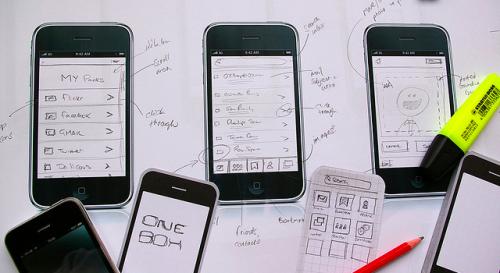
You might have conceptualized an awesome app idea in your head, but the chances are that it may turn out to be awful when it is being displayed in a more concrete form. Perhaps, you'll consider prototyping your app to know how your end-product will look like. However, fleshing out your idea into a prototype can be expensive and time-consuming.
But, what if you just want to shape quickly into your app idea in a less expensive way. This is where wireframing comes to the rescue. A wireframe is a basic flowchart that let you know how your designed application screens will look once it is implemented.
Today, almost every recognized Android app development company prefers creating a wireframe for their mobile development project. Doing so, help them gather valuable feedback from users and team members before during the initial development phase. Fortunately, there are several wireframing tools online that can make the process of building an application a lot easier.
Let's discuss the best wireframing tools worth exploring:
With POP, you don't need to use any sophisticated user interfaces to turn your app idea into a reality. Instead, just sketch out your app design on paper and take a picture of it. The best part is that your mobile device can be used for uploading your mockups that can be edited on bigger screens (such as the desktop) as well.
What's more? You can even share the changes you have made to your team by leaving comments on the mockup. Also, you can even make use of the cloud technology such as Dropbox to import all of your mockups.
Balsamiq Mockups wireframing tool that is super easy to use. You can easily drag-and-drop elements of your choice (like buttons, lists, etc.) on your mockup. This tool is aimed at keeping the mock-ups rough, making you feel as if you're sketching with pencil, in a bid to get as much feedback as possible.
Furthermore, it even helps in carrying out collaboration between clients, customers, and your team (of UX designers and developers). The Balsamiq Mockups tool is available for a 30-day trial period. If you would like to use this tool further, you can opt for it's basic plan available for $12 per month.
This is one of the best wireframing tools if you need a solution that helps in collaborating and sharing your app wireframe efficiently. It comes loaded with a sitemap, a library of drag-and-drop elements, and also enables you to incorporate your elements in the wireframe as well.
The only downside to this tool is that it can't be exported to a PDF, but it's worth a try because of its rich set of prototyping features. You can use Protoshare on a 30-day trial basis, and can purchase its basic plan for $29 per month.
If you want a more powerful solution to turn your wireframes into efficient screen flows, then NinjaMock is a must-have tool for you. It helps in prototyping app using tools available on a mobile device as well as web designs. NinjaMock is free to use, and yet offers advanced prototyping features making it a perfect tool for creatives. For instance, it offers real-time collaboration, handcrafted process to make prototyping a breeze and much more.
Wrapping Up
Although, the list of wireframing tools covered in this article is far from comprehensive. But, if you are a beginner and searching for an efficient tool to begin wireframing your app idea, all the above listed tools are worth a try.
Post Your Ad Here
Comments