Autel Maxidas DS708 Diagnostic Scanner FAQ
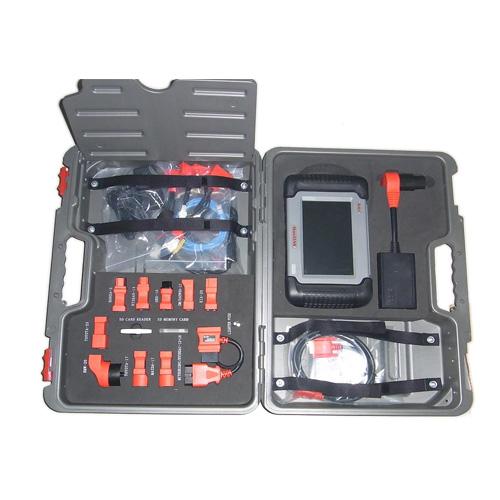
Autel Maxidas Ds708 is one of the powerful and universal diagnostic tool, DS708 support most vehicles. Original Autel DS708 is a state-of-art wifi wireless diagnostic system. Here CablesMall list some of FAQ about Autel DS708 scanner.
Autel MaxiDAS DS708 Autel DS708 Scanner Wifi MaxiDAS DS708

Autel Maxidas DS708 Diagnostic Scanner FAQ
Q Where i can buy Autel MaxiDAS® DS708 ?
A;you can go to this website: http://www.cablesmall.com/autel-maxidas-ds708-autel-ds708-scanner-wifi-maxidas-ds708-p-296
Q: Where to update Autel MaxiDAS® DS708?
A: Go to update at DS708 official website: http://www.maxidas.com/ or
www.CablesMall.com you could download software, update online,
retrieve information and get warranty service.
Q: Can I download and update German version in the Autel official website?
A: yes, you can. You are allowed to customize one specific language
among these languages: English, Spanish, French, German, Australia and
Russian, but not accessible to switch to the language what you want when
you use DS708.
Q: What is update cost one year later?
A: when you want to update DS708 one year later since you ordered DS708,
please contact Autel customer service for the update cost.
Q: I bought Autel DS708 from you last year and always work well. But
today I get error when I open DS708, I can’t open any window.
A: Did you register as member of Autel? Can you update on the
computer? If the DS708 are accessible to update on the computer, insert
the SD card into your computer and format the SD card, and then run the
DS708 Update again.
However, if you didn’t register, follow the next steps to register and update:
1). DS708 Register Wizard
Insert the SD card into your computer and run the DS708 Register Wizard.
Follow the step2 to step4 in “B. Register on the scan tool” (turn to
page 26 in the DS708 English manual) to complete registration to SD
card.
Put the SD card back to the scan tool and restart it to finish registration procedure.
2). DS708 Update
Insert the SD card into your computer and run the DS708 Update. There is
a Register option in the log-in window. When click on it, it will
automatically link to DS708 Register Wizard. Follow the step2 to step4
in “B. Register on the scan tool” (turn to page 26 of DS708 English
manual) to complete registration to SD card.
Put the SD card back to the scan tool and restart it to finish registration procedure.
Post Your Ad Here
Comments